Payment links dashboard showing an invoice paid by card with instant USDC payout
Payment links · no website required

Payment links that get you paid by card, in USDC

Write the invoice, send the link, get paid. Payment links need no store, no code and no developer — and they carry no chargebacks. Your customer pays with their card or 24 other methods; you receive USDC on Polygon, in the wallet you control.

  • 25 payment methods
  • High-risk friendly
  • No chargebacks
  • 4 languages, RTL included
  • Instant USDC payouts
  • Nothing held, no rolling reserve
  • Worldwide customers
  • Works on any phone
Watch it happen

Payment links, from creation to confirmed payment

Payment links are three steps, and nothing is hidden between them. The sequence below runs on its own, the way the real thing behaves: you write the invoice and a link comes out, your customer picks how they want to pay, and the money lands in your wallet as USDC.

Nothing in that sequence is simplified for the demonstration. Payment links really are three screens: the one where you write the invoice, the one your customer opens, and the confirmation you both receive. Payment links have no onboarding call, no underwriting file to assemble, no integration to schedule with a developer, and no waiting period before you may take your first payment. If you can write an invoice in a spreadsheet, you can create a payment link, and the first one usually goes out within a few minutes of activating your key.

The basics

What payment links actually are

Payment links are web addresses that open one invoice and nothing else. You create it, you send it, and whoever opens it can pay it. There is no shop to browse, no account for your customer to create, no basket and no shipping step. The entire transaction is one page, and that page belongs to you: your business name at the top, your lines, your tax, your terms at the bottom.

That simplicity is the whole point of payment links. Most of the money that changes hands between a small business and its clients never passes through a shopping cart. A consultant agrees a fee in a meeting. A designer takes a deposit before starting. A coach sells a programme over WhatsApp. A repair shop quotes a job by phone. None of those sales needs a catalogue, a stock count or a shipping table, and building an entire online store to collect them is work that returns nothing. Payment links exist for exactly that gap.

What makes these payment links different from the ones a traditional processor offers is what happens after the customer pays. Your customer pays in their own currency, with the method they already trust, and you receive USDC on Polygon in a wallet whose keys you hold. There is no merchant balance sitting on a platform, no payout schedule to wait for, no rolling reserve held back against future disputes, and no account manager who can decide one morning that your line of business no longer fits the risk appetite.

It also means the settlement is final. Card networks allow a buyer to reverse a transaction months after the fact; a stablecoin transfer on a public chain cannot be clawed back by the sender. For a business selling something a bank considers high-risk, that single difference is often worth more than the processing fee, because it turns revenue you have received into revenue you have actually kept.

The payment links described on this page run at pay.wcpay.us, a hosted application. You log in from a browser, on a laptop or a phone, and there is nothing to install, nothing to update and no server to maintain. If you also run a shop, our gateway plugin covers that side; payment links cover everything that happens outside it.

Who it is for

Who uses payment links, and why

Payment links suit anyone whose sale is agreed in a conversation rather than in a basket. Here is what that looks like in practice.

Freelancers and consultants

You agree a fee by email, then spend twenty minutes assembling an invoice and another week chasing a bank transfer that crossed a border badly. A payment link replaces both: the invoice is the page, and the page takes the card. The client in another country pays in their currency, and you stop paying the correspondent-bank tax on every job.

Coaches and course sellers

Your programme is sold in a conversation, not from a catalogue. You need one link per client, sometimes with a different amount, sometimes split into a deposit and a balance. Creating a product in a store for each variation makes no sense; creating one of your payment links takes under a minute.

Agencies and studios

Retainers, phases, change requests, a deposit before work starts. Each is its own invoice with its own lines and its own due date, and each needs to look like it came from a real company. Payment links carry your name, your address and your tax number on every page.

Resellers and dropshippers

The deal closes on WhatsApp or Telegram, and the buyer wants to pay now, while the conversation is still warm. Sending a link into the same thread closes the sale in the same minute, and the buyer never leaves the app they were already in.

High-risk merchants

Nutraceuticals, adult services, forex education, IPTV, gaming top-ups, subscriptions a bank dislikes. If you have been refused by a traditional processor, or accepted and then dropped three months later, payment links with final settlement give you a route that does not depend on anyone's risk appetite.

Anyone invoicing across borders

Your client is in Canada and wants Interac. Your client is in India and wants UPI. Your client is in the Netherlands and only ever uses iDEAL. Payment links put each of those on the same page and settle all of them into the same wallet, in the same stablecoin.

None of these businesses needs a WooCommerce store, a theme, a plugin and a developer. They need payment links that work, and the money in their wallet the same day. If your situation is on the border between the two, the comparison further down sets out plainly where a real shop is the better answer.

How it works

Payment links in three steps, and the first is the longest

The account setup is the only part that takes real attention, and you do it once. Everything after that is writing invoices.

Create your account

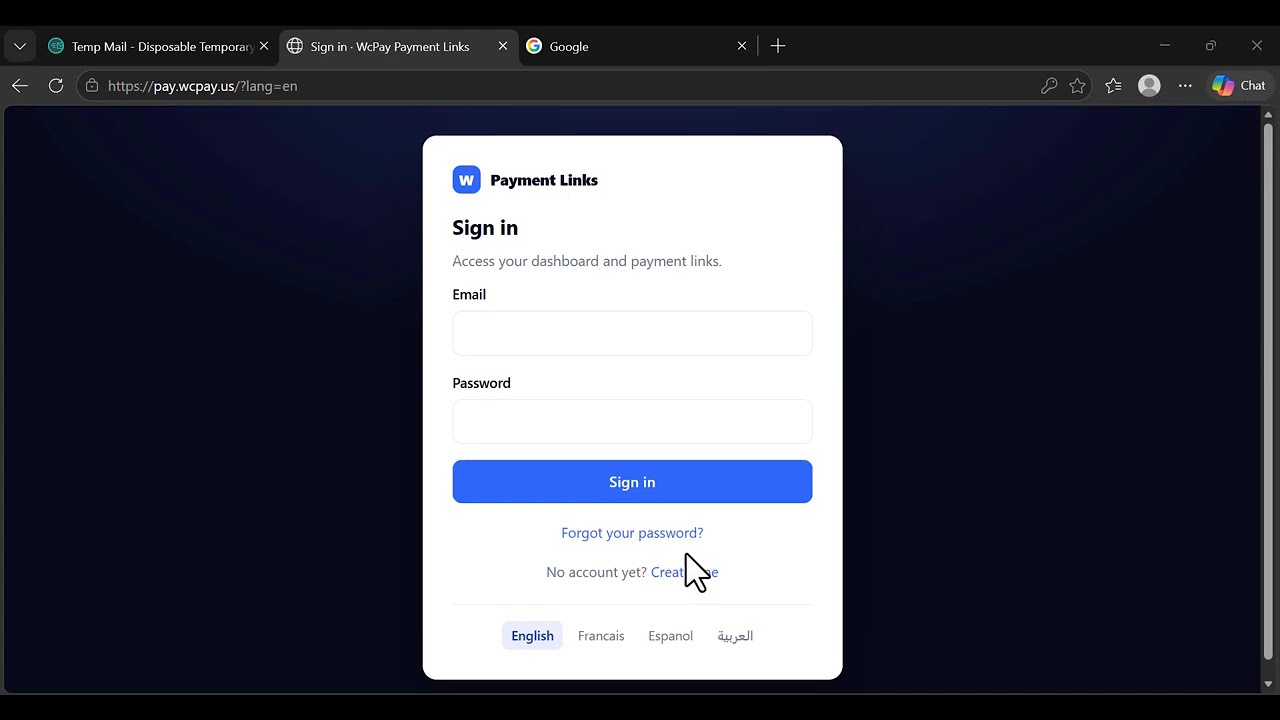
Sign up on pay.wcpay.us, confirm your email with the five-digit code we send you, paste your activation key, and add the wallet address that will receive your settlements. Two minutes, once and for all.

Write the invoice

Title, line items, quantities, discount, tax, your customer's details. Your logo, your colour, your address and your tax number are printed on it, and the total is calculated as you type.

Send the link

Copy it into WhatsApp, an email, a DM. Your customer opens a real invoice, picks how to pay, and you receive USDC on Polygon. You see the payment land in your dashboard.

Setting up your payment links once, properly

The wallet address deserves a minute of care, because it is where your money goes. It must be a wallet you control on the Polygon network — a self-custody wallet, or a deposit address at an exchange that accepts USDC on Polygon. Paste it once in your settings and every payment link you create from then on settles there. If you prefer, you can set a different receiving address for each payment method, which is useful when one rail pays out in a different token: PayPal settles in PYUSD, and has its own field for that reason.

The second thing worth doing on day one is choosing which methods appear. By default a payment link offers everything your plan allows, and that is rarely what you want. A method your customer cannot actually use sends them to a refusal page, and a refusal page is the most avoidable cause of an abandoned payment.

If you sell mainly in Europe, keep cards, iDEAL and the wallets, and switch off the rails that only exist elsewhere. If you sell mainly in India, UPI belongs at the top. You can change the selection whenever you like, one by one or in bulk, and the change applies to every payment link immediately.

Writing payment links that get paid

An invoice that gets paid quickly says three things clearly: who is asking, for what, and by when. Payment links give you a field for each. Line items take a description, a quantity and a unit price, and the subtotal follows as you type. A discount can be applied to the whole invoice. Tax is a named rate, not a generic percentage, so a US invoice can say “Sales tax 8.875 %”, a Canadian one “GST”, and a British one “VAT”, each calculated and shown as its own line.

A due date is printed at the top, and the notes field at the bottom is where your terms, your bank details for the rare client who insists on a transfer, or a thank-you sentence belong.

Once a payment link exists you are not stuck with it. As long as nobody has paid it, you can edit every detail — the amount, the quantities, the tax, the payer's information — and the link itself stays the same, so a client who already has it still opens the corrected version. You can cancel one, delete one, or select several and act on them together. Once an invoice has genuinely been settled it locks, because a paid invoice is a record and records should not be rewritten.

The invoice

Payment links send a document, not a payment box

This is the page your customer opens. Your identity at the top, the lines, the tax, the due date — and underneath, every payment method you left switched on. One click, and they are on the provider’s secure page.

NORTHWIND STUDIO
INVOICE
INV-0006
Issued4 Oct 2026 Due18 Oct 2026
Bill to
Fairview Partners LLC
410 Park Avenue, 15th Floor
New York, NY 10022
billing@fairviewpartners.com
From
Northwind Studio
1200 Market St, Suite 410
Philadelphia, PA 19107
EIN 45-2983017
DescriptionQtyUnitAmount
Brand strategy consulting, per day 2900.00 1,800.00
Report and recommendations 11,400.00 1,400.00
Subtotal3,200.00
Discount− 200.00
Sales tax 0 %0.00
Total due$3,000.00 USD

Choose how to pay

The payment page opens in a new tab, so your customer keeps this invoice open. Every method below is one you switched on; the rest never appear.

Revolut
Credit Card (Stripe)
Credit Card (PayPal)
Cash App
UPI / IMPS
Interaccharged in CAD
Klarnacharged in SEK
iDEAL
Binance
Coinbase
Blockchain.com
Credit Card (Ramp Network)
Credit Card (MoonPay)
Credit Card (Transak)
Credit Card (Banxa)
Credit Card (Utorg)
Credit Card (TransFi)
Credit Card (Sardine)
Credit Card (Topper)
Credit Card (Bitnovo)
Credit Card (Robinhood)
Credit Card (Simplex)
Credit Card (Meld)
Credit Card (Particle Network)
Print / save as PDF English Francais Espanol العربية
  • Your logo, your colour, your address and your tax number
  • Line items with quantity, unit price, discount and a named tax
  • Printable and saveable as PDF, in one click
  • Reads perfectly on a phone, and in Arabic right-to-left
  • The payment page opens in a new tab — the invoice stays open

Why the document behind your payment links matters

A bare payment page asks a stranger to type their card number into something they cannot identify. An invoice that carries your business name, your address, your tax number and an itemised breakdown answers the question the buyer is actually asking, which is whether this is real. In practice that is the difference between a payment link that converts and one that gets a message back asking “is this you?”.

Payment links also matter after the sale. Your customer's accountant will ask for a document, not a receipt from a processor. The print view produces a clean PDF with your identity, the lines, the totals and your terms, and without the payment buttons or the language switcher — the page as a document rather than as a shopfront. Your customer can produce it themselves, from the same link, without asking you for anything.

And because the invoice is a page rather than an attachment, it is always current. If you correct a line before it has been paid, the client who already has the link sees the corrected version the next time they open it. There is no second PDF in circulation contradicting the first.

25 payment methods

Payment links take 25 payment methods

Cards worldwide, local favourites, wallets. You decide which ones appear on your payment links, and you can force a currency per method — Klarna in CHF, UPI in INR, Interac in CAD, iDEAL in EUR.

Credit Cardfrom $2
Coinbase Payfrom $2
Ramp Networkfrom $4
PayPalfrom $5
Robinhoodfrom $5
Revolut Payfrom $8
Topperfrom $10
Bitnovofrom $10
Klarnafrom $14
Transakfrom $15
Binance Payfrom $15
Alchemy Payfrom $15
MoonPayfrom $20
Banxafrom $20
Cash Appfrom $20
Blockchain.comfrom $20
Sardinefrom $30
Particle Networkfrom $30
Meldfrom $30
UTORGfrom $50
Simplexfrom $50
iDEALfrom $55
TransFifrom $70
UPI (India)from $100
Interac (Canada)from $100

Choosing the right methods for your payment links

The amount next to each method is its minimum, not its fee. A rail with a minimum of $100 is not worse than one with a minimum of $2; it is simply built for larger tickets. If your invoices are typically small, the methods at the top of the list are the ones that will actually be usable, and the ones at the bottom are worth switching off so your customer never meets a refusal.

It helps to think of the twenty-five as four families. Cards are the default for most of the world and cover the widest set of countries; they appear on your payment links simply as “Credit Card”, and your customer never needs to know what sits behind that label. Wallets — PayPal, Revolut, Cash App, Binance Pay — win where the buyer already keeps a balance and would rather not type a card number at all.

Local rails are the ones that feel native in one country and are unknown everywhere else: iDEAL in the Netherlands, UPI in India, Interac in Canada, Klarna in parts of Europe. On-ramps such as MoonPay, Banxa, Transak and Simplex cover the remaining corners and tend to accept buyers that other rails decline.

You do not have to judge that in the abstract: switch a few on, send some payment links, and watch. Switch on a reasonable set, send a few payment links, and watch which ones get used. Turning a method on or off takes one click and applies to every link you have already sent, because the choice lives on your account rather than inside each invoice.

Country coverage changes from time to time as rails open and close markets. The current picture is kept on our supported countries and regions page rather than here, so that it stays accurate.

Currencies

Payment links in 18 currencies, one stablecoin out

You can invoice in eighteen currencies, including USD, EUR, GBP, CAD, CHF, MAD, AED, INR and BRL. The amount your customer sees is the amount in the currency you chose for that invoice, and that is the amount they are charged. Whatever they pay with, and whatever currency they paid in, you receive USDC.

A few methods only operate in one currency. Cards through certain providers settle in USD, and a handful of wallets do the same. When one of those is used, the amount is converted at the rate in force at that moment and the invoice total is preserved — your customer pays the equivalent of what the invoice says, and you are not left collecting a different sum from the one you asked for.

Where a method is tied to a currency by its nature, you can pin it yourself: Klarna in CHF, UPI in INR, Interac in CAD, iDEAL in EUR. Pinning the obvious currency removes a conversion step and, more importantly, removes the moment of doubt where a buyer sees an unfamiliar currency and hesitates.

What “instant” means for your payment links

When the provider confirms the payment, the settlement is sent to your wallet address. It is not queued for a weekly payout run, it is not held in a balance you have to withdraw from, and no portion is retained as a reserve. The time between confirmation and the funds appearing is the time the Polygon network takes to include the transfer, which is normally seconds. Payment links settle the same way whatever method your customer picked.

That has a practical consequence worth stating plainly: because the money arrives in a wallet you control, nobody can freeze it, and equally nobody can recover it for you if you paste the wrong address. Check the receiving address once, carefully, when you set up the account. It is the single field on the whole platform where a mistake is not reversible.

High-risk selling

Payment links, high-risk selling and chargebacks

Being refused by a payment processor is frustrating, but it is at least an honest answer that you receive before you have done any work. The harder problem arrives later: you are accepted, you trade for a few months, and then a run of disputes pushes your chargeback ratio past a threshold you never see. The account is suspended, the balance is held while the disputes are investigated, and the reserve that was quietly accumulating is kept for another six months. Revenue you had already counted turns out not to have been yours.

Payment links change the shape of that risk. The customer pays with a familiar method, and settlement reaches you as a stablecoin transfer. A stablecoin transfer has no reversal mechanism: once it is confirmed, it is final in the same way a cash payment is final. There is no dispute window hanging over last quarter's invoices, no reserve, and no ratio quietly counting towards a threshold.

This cuts both ways and it would be dishonest not to say so. Your customer loses the chargeback as a remedy, which means your own conduct has to carry the trust that the card network used to underwrite. Deliver what you promised, answer your messages, and refund directly and promptly when a refund is deserved. Businesses that do that find final settlement an advantage. Businesses that were relying on the dispute process to absorb their own sloppiness will not enjoy it, and should not use it.

It is also worth being clear about what this is not. Final settlement is not a way to escape the law that applies to your business, and it does not make a prohibited line of trade acceptable. Nothing here exempts you from the rules of the country you sell from or sell into, and the obligations in our terms apply in full.

What you get

Everything an invoice needs, nothing you have to configure

Every plan includes every feature below. The plans differ by duration only.

Instant USDC payouts

Your customer pays in their currency; you receive USDC on Polygon in the wallet you control. Nothing sits in a platform account waiting for a payout schedule, and no percentage is held back as a reserve.

No chargebacks

Settlement is final. For high-risk activities that is not a detail — it is the difference between keeping your revenue and losing it months later to a dispute you cannot contest.

Four languages

English, French, Spanish and Arabic, with full right-to-left layout. You pick the language of each invoice; your customer can switch it on the page, which matters when you invoice someone whose language is not yours.

A wallet per method

One receiving address for everything, or a different one per payment method. PayPal pays out in PYUSD and has its own field, so a rail with its own token never forces you to compromise on the rest.

Real invoicing

Line items, quantities, discount, a tax you name yourself, due date, your terms. Edit a payment link as long as nobody has paid it; cancel or delete the rest, one by one or in bulk.

Nothing to install

No plugin, no server, no update to run. You open a browser, you invoice, you get paid. It works the same on a phone, which matters when the sale is closing in a chat thread.

Security

How payment links keep your money out of our hands

Card details are never entered on your payment links. When your customer chooses a method, they are handed to that provider's own payment page, which is where the card number, the expiry and the security code are typed. Those details do not pass through your payment links and they are not stored by us, which means the heaviest part of payment compliance never lands on your shoulders.

We do not hold your funds either. There is no merchant balance on the platform, because settlement goes directly to the wallet address you set. That is a deliberate design decision: a platform that never holds money cannot freeze it, lose it, or be compelled to hand it over.

What we do hold is the minimum needed to show an invoice and tell you when it was paid: your business details as you entered them, the invoices you created, your customers' names and email addresses as you typed them, and a log of payment attempts with their outcome. Your password is stored as a hash and cannot be read back, not even by us. Access to your account is protected by email verification at sign-up, and every sensitive action is recorded in an activity log you can consult.

Honest limits of payment links

No system is risk-free, and a page that claimed otherwise would not be worth trusting. Three limits are worth knowing before you commit. First, a stablecoin transfer cannot be reversed, so a mistyped wallet address loses the funds permanently.

Second, the providers behind each method apply their own checks, and any of them can decline an individual transaction for reasons we are not told; offering several methods is what protects you from that. Third, availability depends on providers staying available, and rails occasionally pause a country or a category without notice. The platform is built so that one rail going quiet never stops the others, which is the practical reason to keep more than one method switched on.

Honestly

When payment links are the right tool — and when they are not

What you needPayment linksA full online store
Invoice a client, take a deposit, sell a service Yes — in a minute Possible, after you build the shop
Sell a catalogue with stock, variants and shipping No That is what it is for
Accept cards without a website Yes A website is the whole point
Be live today Yes Days to weeks
High-risk activity, no chargebacks Yes Depends on the gateway you can get
Recurring billing on a fixed schedule Send a link each period A subscription extension handles it

Already running WooCommerce, PrestaShop, OpenCart or WHMCS? Our gateway plugin is the better fit for that — payment links are for everything that happens outside a shop. Plenty of businesses run both, and the same activation key can cover both if you ask us for a two-site key.

Pricing

One subscription. No commission on what you collect.

The three plans give you exactly the same thing. Only the duration changes, so the only question is how long you want to pay for at once. We do not take a cut of your invoices: you pay for the tool, the payment provider takes its own processing fee, and the rest reaches your wallet.

Monthly

To try it on a real client, this week.

$79.99/month
Cancel whenever you want
  • Unlimited payment links
  • All 25 payment methods
  • Instant USDC payouts
  • A wallet address per method
  • Full invoicing: lines, discount, tax, due date
  • Print and save as PDF
  • 4 languages, RTL included
  • Invoice editing, cancelling and bulk actions
  • All future updates
  • Email support
Start monthly

Key emailed right after payment

Best value

Annual

For anyone invoicing every month.

$169.99/year
$14.17 per month · you save $789.89 a year
  • Unlimited payment links
  • All 25 payment methods
  • Instant USDC payouts
  • A wallet address per method
  • Full invoicing: lines, discount, tax, due date
  • Print and save as PDF
  • 4 languages, RTL included
  • Invoice editing, cancelling and bulk actions
  • All future updates
  • Email support
Get the annual plan

Most customers choose this one

Lifetime

Pay once, never think about it again.

$399.99/one-time
No renewal, ever
  • Unlimited payment links
  • All 25 payment methods
  • Instant USDC payouts
  • A wallet address per method
  • Full invoicing: lines, discount, tax, due date
  • Print and save as PDF
  • 4 languages, RTL included
  • Invoice editing, cancelling and bulk actions
  • All future updates
  • Email support
Get lifetime access

One payment, done

How the key unlocks your payment links

After payment your activation key arrives by email. You paste it once into your account and everything switches on immediately: every payment method your account allows becomes available, and your payment links start accepting payments. The key is checked against our server, so a renewal takes effect without you doing anything.

Renewing before the end adds the new period to the days you have left, so renewing early costs you nothing. If a subscription lapses, your account and your invoices stay exactly where they are and you can still prepare new payment links — the payment methods are simply held until you activate a valid key again. Nothing is deleted and nothing is lost.

One key covers one account by default. If you want a single key to cover both your payment links and a shop running our gateway plugin, ask us for a two-site key through the contact page and we will set it up. Full pricing for the plugin range is on the pricing page.

Watch the walkthrough

Payment links, set up from scratch in four minutes

The whole thing end to end: creating the account, activating the key, writing the invoice, the payment methods your customer sees, and the payout landing in your own wallet. Nothing is cut and nothing is sped up.

Payment links demonstration video: invoice paid by card with instant payout
Getting started

Your first payment links, step by step

If you have just bought a plan, this is the whole sequence. It is shorter than reading about it.

  • Create the account. Go to pay.wcpay.us, enter your email and a password, and confirm with the five-digit code we send you. The code is valid for twenty-four hours; if it has not arrived after a minute, check the spam folder before asking for another.
  • Activate your key. Paste the key from your purchase email into the License screen. Everything switches on as soon as it is accepted.
  • Set your receiving wallet. In Settings, paste the Polygon address that will receive your USDC. Check it character by character; this is the one field where a mistake cannot be undone.
  • Fill in your business identity. Name, address, tax number, logo. These are printed on every invoice, and they are what makes a payment link look like it came from a company rather than from a stranger.
  • Choose your payment methods. Switch off anything your customers cannot realistically use, and pin a currency where it is obvious.
  • Create the invoice. Lines, quantities, tax, due date, your customer's name and email. The total is calculated as you type.
  • Send the link. Copy it into WhatsApp, an email or a DM. You will see the payment land in your dashboard, and the invoice marks itself as paid.

The documentation covers the rest: the per-method currency rules, the activity log, the bulk actions, and what each invoice status means.

Questions

What people ask about payment links before buying

Do payment links really work without a website?

Yes. You create your account on pay.wcpay.us, write your invoice there, and send the link. The invoice page is hosted for you, so payment links are all you need. If you do have a website, nothing stops you from using both.

How do I receive the money?

As USDC on the Polygon network, in the wallet address you set in your account. Nothing is held on the platform, there is no payout schedule to wait for, and no reserve is retained. The transfer is sent as soon as the provider confirms the payment.

Which currencies can I invoice in?

Eighteen, including USD, EUR, GBP, CAD, CHF, MAD, AED, INR and BRL. Some providers only accept USD; when one of those is used, the amount is converted at the rate in force so that the invoice total is preserved. You can also pin a currency to a given method, such as Klarna in CHF or UPI in INR.

Can my customer pay with a normal bank card?

Yes. “Credit Card” appears on the invoice like any other method. Your customer never needs a crypto wallet, never creates an account, and never sees anything unusual — they enter their card details on the provider’s secure page and that is the end of it.

Is there a commission on what I collect?

Not from us. You pay for the subscription, and that is all we charge. The payment provider applies its own processing fee, which depends on the method your customer picks and is shown before they confirm.

What is the difference between the three plans?

Only the duration. Monthly, annual and lifetime give exactly the same features, the same 25 payment methods, the same unlimited number of payment links and the same support. Choose on how long you want to pay for at once, not on what you get.

What happens when my subscription expires?

Your account stays, your invoices stay, and you can still prepare new payment links, but no payment method is offered until you activate a valid key again. Renewing before the end adds the new period to your remaining days, so you lose nothing.

Can I edit an invoice after sending the link?

Yes, as long as nobody has paid it. The amount, the quantities, the tax and your customer’s details can all be changed, and the link stays the same, so a client who already has it opens the corrected version. Once an invoice has been settled it locks.

Can my customer get the invoice as a PDF?

Yes. The invoice page has a Print / save as PDF button. It produces a clean document with your identity, the lines, the totals and your terms, without the payment buttons or the language switcher. Your customer can do it themselves, from the same link.

Do you support right-to-left languages?

Yes. The application and the invoices exist in English, French, Spanish and Arabic, and the Arabic version is laid out right-to-left properly rather than mirrored badly. You pick the language per invoice and your customer can switch it on the page.

Can I use the same key on my WooCommerce store?

Each key carries its own number of sites. If you want one key for both your store and your payment links, ask us to set it to two sites; otherwise take a key for each.

What if a payment method refuses my customer?

Each provider applies its own checks and any of them can decline a transaction without telling us why. Your customer simply goes back to the invoice and picks another method, which is the reason to keep several switched on rather than relying on one.

Plain words

A short payment links glossary

A few terms come up repeatedly on this page. Here is what each one means here, in plain language, with no assumption that you have met it before.

  • Payment link. A web address that opens one invoice, which anyone holding the address can pay.
  • USDC. A stablecoin whose value tracks the US dollar. One USDC is intended to be worth one dollar, which is what makes it usable for settlement rather than speculation.
  • Polygon. The network the settlement travels on. It was chosen because transfers confirm in seconds and cost a fraction of a cent, so the fee does not eat a small invoice.
  • Wallet address. The destination of your settlements. It looks like a long string beginning with 0x, and you obtain it from a self-custody wallet or from an exchange that accepts USDC on Polygon.
  • Chargeback. A reversal of a card payment, started by the buyer through their bank, often months after the sale. Stablecoin settlement has no equivalent, which is the point.
  • Rolling reserve. A percentage of your revenue that a traditional processor keeps for a period in case of future disputes. Nothing is reserved here, because nothing is held.
  • On-ramp. A provider whose business is converting ordinary money into crypto. Several of the twenty-five methods are on-ramps, which is why coverage reaches countries that cards alone do not.
  • High-risk. A banking label, not a legal one. It describes trades that banks associate with higher dispute rates, and it is the reason many perfectly lawful businesses struggle to keep a processor.

Your next invoice could be paid tonight

Create your account, activate your key, send your first link. Payment links work anywhere: if your customer can open WhatsApp, they can pay you.