To accept PayPal payments on WooCommerce and receive instant PYUSD or USDT crypto payouts, you need a card-to-crypto gateway like WcPay that bridges traditional payment methods with blockchain settlements. Accepting PayPal payments on WooCommerce through this model means your customers pay with PayPal while you receive stablecoin payouts directly to your crypto wallet — eliminating chargebacks entirely. Understanding how accept paypal payments on woocommerce works helps readers make smarter decisions.
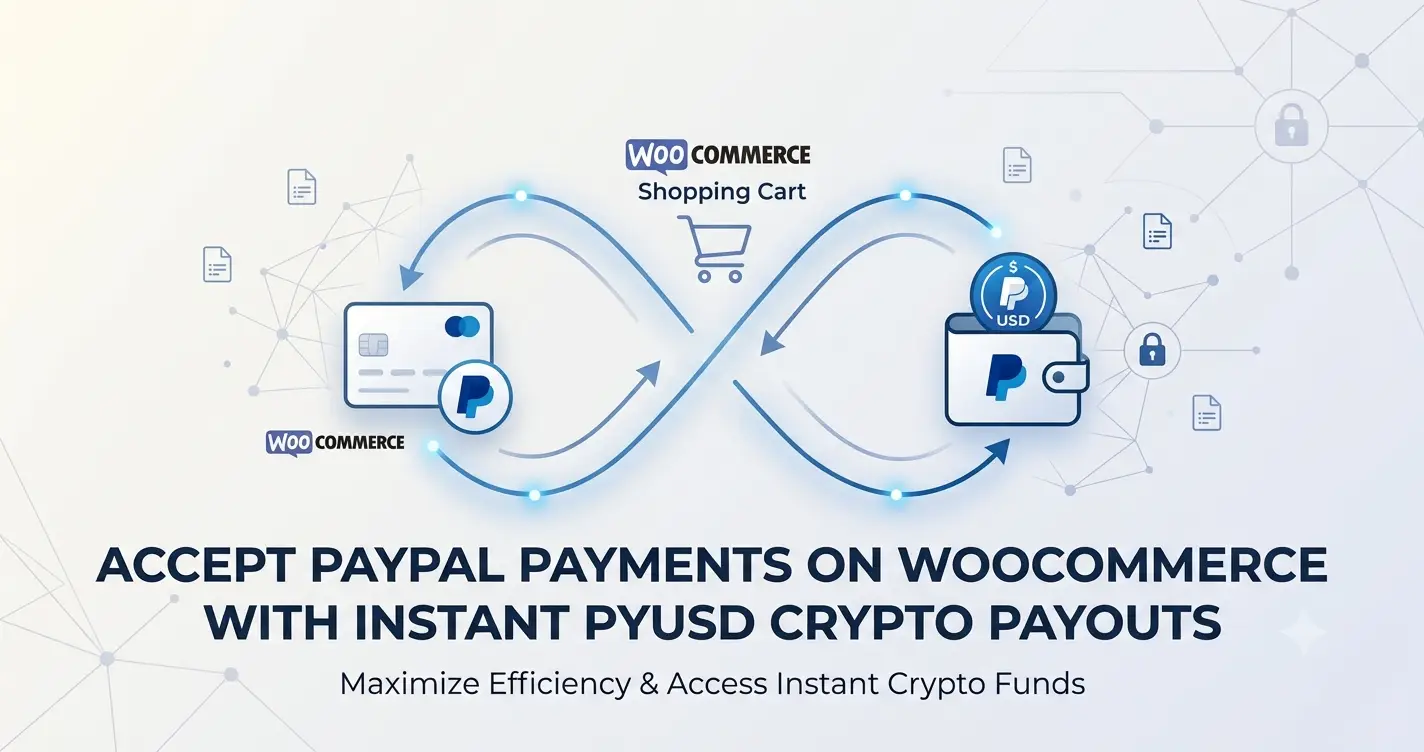
- WcPay lets WooCommerce merchants accept PayPal and receive instant USDT or PYUSD crypto payouts.
- The card-to-crypto model eliminates chargebacks because crypto settlements are irreversible.
- No LLC, no KYC, and no company registration are required to get started.
- Setup takes under 60 seconds: install the plugin, enter your serial key, add your crypto wallet address.
- PYUSD is PayPal’s own USD-pegged stablecoin, offering familiar branding with crypto-native settlement speed.
- WcPay supports PayPal, credit cards, Apple Pay, Google Pay, Revolut Pay, Binance Pay, and more in one checkout.
- Accepting PayPal at checkout while settling in crypto protects you from payment reversals and account freezes.
- PYUSD is a regulated stablecoin issued by PayPal — it maintains a 1:1 peg with the US dollar.
- WcPay’s card-to-crypto architecture means your payout wallet receives funds the moment a transaction clears.
- High-risk merchants benefit most: no chargeback ratio limits, no reserve holds, no account suspensions.
- You only need a WooCommerce website and a USDT-compatible wallet (e.g., Trust Wallet) to begin.
- Combining PayPal acceptance with crypto payouts is now a viable mainstream strategy for online sellers.
- What Is PYUSD and Why Does It Matter for WooCommerce Merchants?
- How to Accept PayPal Payments on WooCommerce With Instant Crypto Payouts
- Why Traditional PayPal Integration Falls Short for High-Risk Stores
- 7 Proven Strategies to Maximize PayPal and PYUSD Payouts
- WcPay vs. Native PayPal WooCommerce Plugin: Side-by-Side Comparison
- Step-by-Step Setup: From PayPal Checkout to Crypto Wallet
- Common Mistakes Merchants Make With PayPal Crypto Settlement
- Frequently Asked Questions
What Is PYUSD and Why Does It Matter for WooCommerce Merchants?
PYUSD is PayPal’s own US dollar-pegged stablecoin, issued on the Ethereum and Solana blockchains. It maintains a 1:1 parity with the US dollar and is backed by dollar deposits, short-term US Treasuries, and similar cash equivalents — making it one of the most recognizable regulated stablecoins available today. Comparing accept paypal payments on woocommerce options is the first step to finding the best value.
For WooCommerce merchants, PYUSD represents a bridge between the consumer familiarity of PayPal and the settlement speed of blockchain. Customers who already trust PayPal can pay using their existing balance, while you receive the equivalent value in a stablecoin that clears in seconds rather than days. Many readers search for accept paypal payments on woocommerce before making their first purchase.
Unlike volatile cryptocurrencies such as Bitcoin or Ethereum, PYUSD does not expose your revenue to price swings. You receive what your customer paid — dollar for dollar — but in a format that no bank, payment processor, or chargeback dispute can reverse. The right accept paypal payments on woocommerce platform saves time and reduces frustration.
You can learn more about the regulatory background of stablecoins and how they are classified on Wikipedia’s stablecoin overview, which covers reserve mechanisms, issuer obligations, and global regulatory frameworks. Experienced buyers know that accept paypal payments on woocommerce quality varies by platform.
How to Accept PayPal Payments on WooCommerce With Instant Crypto Payouts
Accepting PayPal payments on WooCommerce while settling in crypto requires a card-to-crypto gateway — not a standard PayPal plugin. WcPay operates as that bridge: it displays PayPal as a checkout option to your customers, processes the transaction through PayPal’s infrastructure, and then routes your payout directly to your USDT or PYUSD wallet address. Finding a reliable accept paypal payments on woocommerce source is easier than most people expect.
This is fundamentally different from the native WooCommerce PayPal plugin, which deposits funds into a PayPal balance subject to holds, freezes, and chargeback disputes. With WcPay, the settlement layer is entirely crypto-based. The best accept paypal payments on woocommerce services prioritize instant delivery and clear pricing.
The Card-to-Crypto Settlement Flow
When a customer clicks “Pay with PayPal” at your WooCommerce checkout, the payment is authorized through PayPal’s API. WcPay then triggers an instant conversion and sends the equivalent stablecoin amount — USDT, USDC, or PYUSD equivalent — to your pre-configured wallet address. Checking reviews before choosing a accept paypal payments on woocommerce provider is always recommended.
The entire process is invisible to the customer. They see a familiar PayPal button and complete their purchase normally. You receive crypto, not a PayPal balance that can be clawed back.
For a deeper look at how this architecture works, see the detailed breakdown in Get paid via PayPal and receive instant USDT payouts with WcPay.
Why Traditional PayPal Integration Falls Short for High-Risk Stores
The standard PayPal WooCommerce integration works well for low-risk retail, but it creates serious vulnerabilities for merchants in high-risk niches. PayPal’s terms of service allow the company to freeze accounts, hold funds for up to 180 days, and permanently ban merchants without detailed explanation.
High-risk categories — including digital products, supplements, IPTV, adult content, dropshipping, and subscription services — face disproportionate scrutiny. A single spike in dispute rates can trigger an account review that halts your entire revenue stream.
Chargebacks are the core problem. When a customer files a dispute with their card issuer or PayPal, the funds are pulled back from your account automatically. Traditional PayPal integration offers no protection against this mechanism.
The card-to-crypto model solves this structurally. Once a crypto payout reaches your wallet, it cannot be reversed. There is no intermediary with the authority to claw back settled funds. This is why card-to-crypto is considered the most effective chargeback prevention strategy available to online merchants today.
7 Proven Strategies to Maximize PayPal and PYUSD Payouts
These seven strategies help you extract maximum value when you accept PayPal payments on WooCommerce and settle in stablecoins.
1. Use a Dedicated Payout Wallet
Never mix personal crypto holdings with merchant payouts. Create a dedicated Trust Wallet or MetaMask address solely for WcPay settlements. This simplifies accounting and protects your personal assets.
2. Enable All Available Payment Methods
WcPay supports PayPal, credit cards, Apple Pay, Google Pay, Revolut Pay, Binance Pay, Interac, and UPI from a single plugin. Activating all methods maximizes checkout conversion without adding complexity.
3. Display PYUSD Branding Strategically
Customers who recognize the PayPal brand on your checkout are more likely to complete a purchase. Keeping the PayPal button prominent while settling in PYUSD-equivalent stablecoins gives you the best of both worlds.
4. Monitor Wallet Addresses Regularly
Verify your payout wallet address in WcPay settings after any plugin update. An incorrect address means payouts go to an unreachable destination — a mistake that cannot be reversed on-chain.
5. Combine With a No-Chargeback Policy
Display a clear refund and no-chargeback policy at checkout. This reduces disputes at the source and reinforces to customers that purchases are final. See the guide on adding a no-chargeback policy to your WooCommerce checkout for a legal template approach.
6. Test Payouts With a Small Transaction First
Before going live, run a small test transaction and confirm the USDT arrives in your wallet. This validates the full payment-to-payout pipeline and catches configuration errors early.
7. Keep Your WcPay Plugin Updated
WcPay provides free lifetime updates. Staying current ensures compatibility with the latest WooCommerce versions and access to new payment methods as they are added to the plugin.
WcPay vs. Native PayPal WooCommerce Plugin: Side-by-Side Comparison
Understanding the difference between WcPay and the standard PayPal for WooCommerce plugin is essential before choosing your integration path.
| Feature | Native PayPal Plugin | WcPay (Card-to-Crypto) |
|---|---|---|
| Payout currency | PayPal balance (USD/fiat) | USDT, USDC, PYUSD-equivalent |
| Chargeback exposure | Full exposure | Zero — crypto payouts are irreversible |
| Account ban risk | High for restricted niches | None — no PayPal merchant account needed |
| Fund holds | Up to 180 days possible | Instant settlement to wallet |
| KYC / LLC required | Yes, for business accounts | No — only a WooCommerce site and crypto wallet |
| Additional payment methods | PayPal only | Cards, Apple Pay, Google Pay, Revolut, Binance Pay, Interac, UPI |
| Setup time | 15-30 minutes with verification | Under 60 seconds |
| Monthly fees | None (but transaction fees apply) | No monthly fees |
Step-by-Step Setup: From PayPal Checkout to Crypto Wallet
Setting up WcPay so you can accept PayPal payments on WooCommerce and receive instant PYUSD-equivalent payouts follows a straightforward four-step process.
For the complete technical walkthrough, the instant USDT payout WooCommerce setup guide covers every configuration option in detail.
The PayPal Business API that powers WcPay’s PayPal integration is documented publicly by PayPal. You can review the technical specifications on PayPal’s official developer portal to understand how the underlying API authorization and webhook system functions.
Common Mistakes Merchants Make With PayPal Crypto Settlement
Even with the right gateway in place, certain configuration and operational errors can disrupt your PayPal-to-crypto payout flow. These are the most frequent issues WcPay merchants encounter.
Using a Custodial Exchange Address as the Payout Destination
Centralized exchange deposit addresses (Binance, Coinbase, Kraken) can change or expire. Always use a self-custody wallet address — Trust Wallet, MetaMask, or a hardware wallet — as your WcPay payout destination. This ensures you retain full control of your funds at all times.
Ignoring Network Compatibility
USDT exists on multiple blockchains: Ethereum (ERC-20), Tron (TRC-20), BNB Smart Chain (BEP-20), and others. Confirm which network your wallet address belongs to and ensure WcPay is configured to send on the same network. Sending to the wrong network results in unrecoverable funds.
Leaving the Old PayPal Plugin Active
Running the native WooCommerce PayPal plugin alongside WcPay creates checkout conflicts and may route some transactions to your PayPal balance instead of your crypto wallet. Deactivate and delete the standard PayPal plugin before activating WcPay.
Not Communicating the Payment Experience to Customers
Customers see a standard PayPal button and complete their purchase normally — they do not need to know anything about your backend crypto settlement. However, your refund policy should clearly state that refunds are processed manually within a defined timeframe, since on-chain settlements cannot be auto-reversed.
Merchants who have already been banned from standard PayPal or Stripe should also review the options covered in how to keep accepting payments after a PayPal account suspension to understand the full recovery path.
Frequently Asked Questions
What is PYUSD and how does it differ from regular USDT?
PYUSD is a stablecoin issued directly by PayPal, pegged 1:1 to the US dollar and available on Ethereum and Solana. USDT is issued by Tether and is the most widely used stablecoin globally. Both maintain dollar parity, but PYUSD carries PayPal’s brand recognition and regulatory standing, while USDT offers broader exchange and wallet support. WcPay settles in USDT, which is compatible with PYUSD-equivalent value.
Can I accept PayPal payments on WooCommerce without a PayPal business account?
Yes. WcPay allows you to accept PayPal payments on WooCommerce by routing transactions through PayPal’s API infrastructure without requiring you to hold a PayPal merchant account. Your payout goes directly to your crypto wallet, bypassing the PayPal balance system entirely. This means no risk of account freezes or 180-day fund holds.
Is WcPay suitable for high-risk merchants?
WcPay is specifically designed for high-risk merchants. It accepts niches that standard gateways refuse — including digital products, supplements, IPTV, adult content, dropshipping, and subscription services. Because payouts are in crypto, there are no chargeback ratios to manage, no reserve requirements, and no merchant category code restrictions.
Do I need to register a company or provide KYC documents?
No. WcPay requires only a professional WooCommerce website and a USDT-compatible crypto wallet. No LLC, Ltd, company registration, or identity verification documents are needed. This makes it accessible to individual sellers, freelancers, and merchants in jurisdictions where formal business registration is complex.
How fast are the crypto payouts after a customer pays with PayPal?
Payouts are processed instantly upon transaction confirmation. Unlike traditional payment gateways that batch settlements daily or weekly, WcPay triggers a crypto transfer as soon as the PayPal authorization clears. The time for the crypto to appear in your wallet depends on blockchain network congestion, but is typically under a few minutes for TRC-20 USDT transactions.
What happens if a customer tries to file a chargeback after paying with PayPal?
When you accept PayPal payments on WooCommerce through WcPay, your payout is already settled in crypto before any dispute can be filed. Because the merchant-side settlement is on-chain and irreversible, the chargeback process cannot claw back funds from your wallet. The dispute may still proceed on the customer’s side, but it does not affect your received funds.
Which crypto wallets are compatible with WcPay payouts?
Any self-custody wallet that supports USDT is compatible, including Trust Wallet, MetaMask, Exodus, and hardware wallets like Ledger or Trezor. Centralized exchange deposit addresses can also be used but are not recommended due to address expiry risks. Trust Wallet is the most commonly used option among WcPay merchants due to its multi-chain support and mobile accessibility.
Can I offer multiple payment methods alongside PayPal using WcPay?
Yes. WcPay integrates PayPal, credit and debit cards, Apple Pay, Google Pay, Revolut Pay, Binance Pay, Interac, and UPI all within a single WooCommerce plugin. All of these payment methods settle to the same crypto wallet address, giving you a unified payout destination regardless of how your customer chooses to pay.
If you are ready to accept PayPal payments on WooCommerce with zero chargebacks and instant crypto settlement, the fastest path forward is to review the full capabilities of the PayPal payment gateway with instant USDT payouts via WcPay and place your order at wcpay.us/ today.