PrestaShop payment gateway module for high-risk stores: 25 methods, instant payouts, no KYC
This is the WcPay PrestaShop payment gateway module: a single
wcpay.zip you upload in the Module Manager, which registers twenty-five
independent payment methods in your checkout and settles every order in stablecoin to a
wallet you control. It runs on PrestaShop 1.7.x, 8.x and 9.x. No merchant account, no
underwriting file, no chargebacks, and no company registration.
It exists for one situation. You run a PrestaShop store, your product category is one
acquiring banks treat as elevated risk, and either no processor will take you or the one
that did has already closed your account and kept a reserve for ninety days. This
PrestaShop payment gateway module removes the underwriting relationship entirely: there is
no account for a risk department to close, because the money never passes through an
account in your name at a bank.
Your customer pays by Visa, Mastercard, Apple Pay, Google Pay, Revolut, Cash
App, Klarna, iDEAL, UPI or Interac, in your shop’s own currency, on a hosted form. You
receive the payout minutes later. Most buyers never realise a stablecoin was involved.
What the PrestaShop payment gateway module installs in your back office
One PrestaShop payment gateway module, twenty-five payment methods
You install one PrestaShop payment gateway module. It presents twenty-five payment options at checkout, each one
independent of the others, and each one configured on its own screen. Nothing is shared
between them — not the title, not the logo, not the payout wallet.
| Per method | What it controls |
|---|---|
| Enabled | Whether this single option appears at checkout. The other twenty-four are unaffected. |
| Title | The label the customer reads in the payment list. Write what converts in your market, in your language. |
| Description | The short line under the title. |
| Payout wallet | Where this method’s settlements land. Each method can use a different address. |
| Logo URL | Any image URL, so the payment list matches your theme rather than a stock icon set. |
| Logo height | In pixels, not a percentage. A tall logo and a wide one sit on the same row without one dwarfing the other — the detail that makes a payment list look deliberate instead of assembled. |
Per-method wallets are the setting most merchants underestimate. They let you split
revenue by brand, by partner, by country or by accounting stream without running a second
shop, and no single-method PrestaShop payment gateway module can do that.
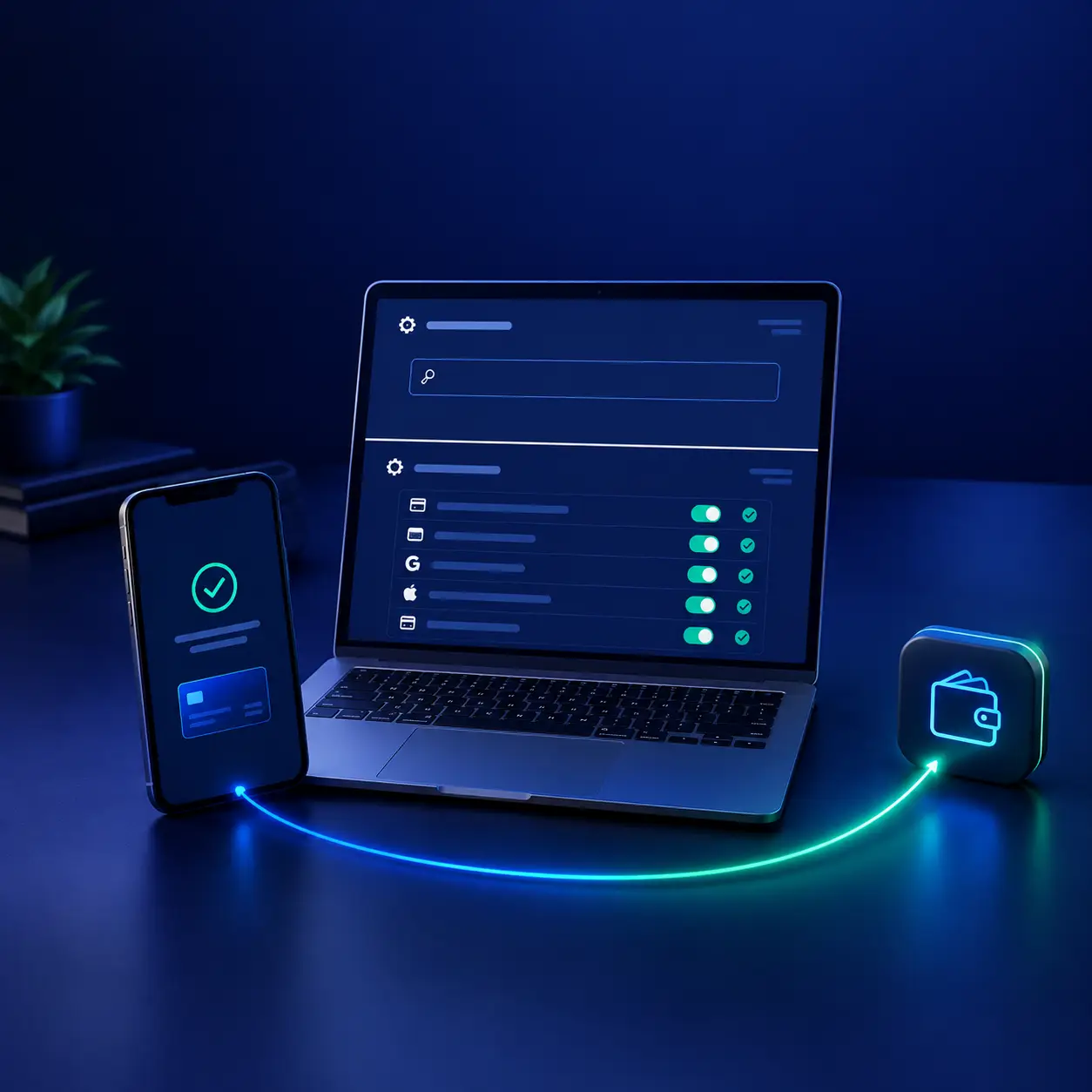
The PrestaShop payment gateway module has two configuration states
The whole PrestaShop payment gateway module is configured on one page, and that page is only ever in one of two states.
Before activation, you see a single field: the licence key. The payment
settings are not rendered at all. That is deliberate — there is no half-configured state to
fall into, no methods sitting enabled with an empty wallet, and no way to push a broken
checkout live by accident.
After activation, the key is accepted and the full payment methods
screen appears underneath. One key unlocks all twenty-five; you never activate methods one
at a time. The key is re-verified against the licence server each time it is entered, and
it keeps working for a grace period if your host blocks outgoing calls, so a firewall rule
does not take your checkout offline.
The four conditions a payment method must meet to appear at checkout
This is the part of the PrestaShop payment gateway module that saves support tickets, and it is specific to PrestaShop. A payment
method does not show up at checkout unless four separate things are true at once:
- The checkout hook is registered. PrestaShop calls
paymentOptions, and a module that is not hooked to it is invisible no
matter how it is configured. - Your shop currencies are authorised for the module.
- The licence is active.
- At least one method is enabled with a valid payout wallet.
Miss any one of them and the symptom is identical and maddening: the PrestaShop payment gateway module looks configured, and the payment step is empty. A diagnostics panel on the configuration screen
checks all four and tells you which one is failing, and a Repair button
re-registers the hooks and authorises the currencies in one click.
That single button is the difference between a ten-minute setup and an evening reading
forum threads. It is also why the PrestaShop payment gateway module survives a theme change
or a shop upgrade that de-registers hooks: you press Repair and the checkout comes back.
Why PrestaShop merchants lose their processor
PrestaShop is one of the most widely deployed open-source carts in Europe, North Africa
and Latin America — and that geography is where card acquiring is hardest to obtain. A
PrestaShop payment gateway module that works without underwriting is worth more there than
a lower headline rate.
No acquirer evaluates your shop software. What their risk committee reads is your
merchant category code, the jurisdiction you are incorporated in, the dispute ratio they
project for your sector, and the audited accounts you are asked to attach. A founder
selling supplements or subscriptions out of Casablanca, Bucharest or Bogotá rarely clears
that bar, and the quality of the storefront has nothing to do with it.
An approval is not necessarily good news either. The contract typically withholds five
to ten per cent of every sale for half a year, pays out a week or two after the fact, and
names a dispute percentage past which the relationship ends — by email, with your remaining
balance frozen for a further quarter while nobody answers the phone.
The three failures this PrestaShop payment gateway module removes
Nothing to close. Any arrangement someone else can cancel is a
borrowed capability, not infrastructure you own. Here the settlement endpoint is your own
wallet, so there is no account on anyone’s books to terminate and no balance for anyone to
sit on.
Nothing to claw back. In supplements and digital goods the dispute is
rarely about fraud: the buyer consumed what they bought and files anyway, because filing
costs them nothing. Once a stablecoin transfer has settled, no issuing bank has a mechanism
to reverse it — the decision at card level simply does not reach your funds.
Nothing to wait for. More small shops die of cash timing than of fee
percentages. The PrestaShop payment gateway module settles on the card approval, not on a Tuesday cycle, and there is no floor below which a payout is held back.
The payment methods your customer sees
The PrestaShop payment gateway module ships with twenty-five methods, in three families.
You decide which appear; enable two, or enable all of them.
| Family | Methods |
|---|---|
| Cards and wallets | Credit card through Stripe, credit card through PayPal, Apple Pay, Google Pay, Revolut Pay, Cash App, Binance Pay |
| Local rails | iDEAL (Netherlands), UPI and IMPS (India), Interac (Canada), Klarna (parts of Europe) |
| On-ramps | Coinbase Pay, Blockchain.com, Ramp Network, MoonPay, Transak, Banxa, Topper, Bitnovo, Robinhood, Simplex, Sardine, UTORG, TransFi, Meld, Particle Network, Alchemy Pay |
Every method in the PrestaShop payment gateway module knows its own minimum — from around two dollars for cards up to a hundred
for UPI and Interac — and hides itself below it. Your customer never picks an option that
rejects them on the next screen, which is one of the most avoidable causes of an abandoned
cart.
The exchange rate behind all of this is fetched once by the PrestaShop payment gateway module and cached for fifteen minutes,
shared across all twenty-five methods. Displaying the payment step costs one API call, not
twenty-five — on a busy shop that is the difference between a fast checkout and a rate
limit.
How the PrestaShop payment gateway module settles an order
1. The customer reaches the payment step
PrestaShop calls the paymentOptions hook. The PrestaShop payment gateway module returns only the methods that are enabled, authorised for the cart currency, and above their own minimum for
this cart total.
2. A single-use receiving address is created
Choosing a method triggers the creation of a receiving address dedicated to this cart
alone, saved alongside a short token. Addresses are never recycled, so two shoppers who
happen to check out for the same total within the same minute remain cleanly separable —
the failure mode that quietly ruins hand-built integrations.
3. The order is created in a waiting state
The PrestaShop payment gateway module creates the order immediately in the Awaiting WcPay payment state,
which it registers on installation. The order exists in your back office before the customer
has paid — so an abandoned payment leaves a traceable record rather than a hole in your
numbers.
4. The customer pays on the provider’s page
A clean hosted form: name, card number, expiry, security code, email for the receipt. No
account creation, no wallet app, no crypto knowledge. Card details are typed on the
provider’s own PCI-compliant infrastructure, so the PrestaShop payment gateway module never
handles a card number.
5. Funds arrive in your wallet
The payment is converted and forwarded to the payout address configured for that method,
usually within minutes.
6. The order is validated, or flagged
The provider calls your shop back. The PrestaShop payment gateway module compares the amount received against the
amount expected, writes the transaction reference into the order, and moves it to your paid
state. A short payment is flagged instead of validated.
Three details that matter in production
Most of what separates a PrestaShop payment gateway module that works on day one from
one that still works on day ninety is in the edge cases. Three are worth spelling out.
Underpayment is never silently accepted
Exchange rates move between the moment a customer clicks and the moment funds settle, and
the provider’s fee is taken on the way through. A strict equality check would reject honest
payments; no check at all would validate half-paid orders. The PrestaShop payment gateway module compares against a tolerance band you configure, and anything below it leaves the order unpaid with the exact
difference documented. You decide what to do — refund, ask for the balance, or ship anyway.
The gateway never decides for you.
Confirmations are replay-safe
Providers sometimes send the same confirmation twice. Without a guard, PrestaShop
validates the order twice, emails the customer twice and decrements your stock twice. The
second confirmation is acknowledged and ignored.
The confirmation URL is deliberately short
Several providers silently reject a callback URL that runs too long: the customer pays,
sees the thank-you page, and you never receive anything. Nothing visibly fails, which makes
it the hardest failure of all to diagnose. The callback route is kept short on purpose. If
your shop sits on an unusually long domain, send it to
us and we will check it before you buy.
Installing the PrestaShop payment gateway module in six steps
Installing the PrestaShop payment gateway module takes a few minutes and needs no FTP
access and no file editing.
- Buy the licence and download the module. You receive
wcpay.zipand your activation key by email. - Upload it in the Module Manager. Back office → Modules →
Module Manager → Upload a module, and drop the zip in. PrestaShop installs it,
creates the Awaiting WcPay payment order state, registers the checkout hooks
and authorises your shop currencies. - Open the configuration screen. Modules › Module Manager
› Configure. You land on the licence screen. - Activate with your licence key. Paste it in. All twenty-five methods
unlock at once and the payment settings appear underneath. - Enable the methods you want. For each one: a title, a description, a
logo URL, a logo height and a payout wallet. Start with three or four rather than all
twenty-five — a short payment list converts better than a long one. - Place a test order. A small real payment, end to end.
On that last step, check four things in order: the order moved out of Awaiting WcPay
payment, the funds arrived at the address you entered, the transaction reference is on
the order, and a second confirmation did nothing. Five minutes, and you find out now rather
than on your first real customer.
What the PrestaShop payment gateway module touches, and what it leaves alone
A PrestaShop payment gateway module that rewrites core files is one that breaks at the next PrestaShop upgrade. This one uses only documented APIs: the PaymentModule class, the
paymentOptions hook and the standard order states. Nothing in
/classes or /controllers is overridden, and no core file is
patched.
What it adds to your shop is short and reversible: one order state (Awaiting WcPay
payment), its own configuration table, and its hook registrations. What it does not
touch is everything else — your theme, your checkout template, your other payment modules,
your order statuses, your carriers and your customer accounts all stay exactly as they
are.
That restraint is why the PrestaShop payment gateway module runs unchanged across
1.7.x, 8.x and 9.x, three releases that broke a good number of modules that took shortcuts.
You can check your own version under Advanced Parameters › Information, and the
PrestaShop
developer documentation covers the hook system if you want to see what the PrestaShop payment gateway module is using.
Requirements for the PrestaShop payment gateway module
| You need | You do not need |
|---|---|
| A PrestaShop 1.7.x, 8.x or 9.x shop on HTTPS Outgoing HTTPS requests allowed from your server A wallet address you control A reasonably short shop domain |
A company — no LLC, no SARL, no trade register extract A KYC file — no ID, no proof of address, no bank statements A merchant account application Any crypto knowledge |
One wallet address is enough to start the PrestaShop payment gateway module. You can give each method its own later, once you know
which rails your customers actually use.
Which businesses run this PrestaShop payment gateway module
Somewhere inside every card scheme there is a table of merchant categories flagged for
dispute frequency, regulatory attention or simple reputational caution. Appearing in it says
nothing about whether your business is lawful or well run; it says that the conventional
rails will not carry you. That is the entire market this PrestaShop payment gateway module
serves.
- Supplements and nutraceuticals — sports nutrition and wellness
formulas, including trial and subscription offers. - Vape and CBD — categories most acquirers decline outright,
whatever the local law says. - IPTV and streaming — subscription reselling, panels, set-top
bundles. - VPN and hosting — recurring digital services with instant
delivery. - Adult and dating — content subscriptions, memberships, creator
platforms. - Replica and fashion — categories with high dispute ratios.
- Digital goods and courses — software, templates, ebooks, mentoring,
account top-ups. - Gaming and top-ups — in-game currency, keys, prepaid codes.
A short list of categories is refused outright by the PrestaShop payment gateway module,
for legal rather than commercial reasons, and coverage also varies by country. The
supported countries and
regions page has the detail; if your case sits near the edge, write to us first. A no
before you pay is worth more to both of us than a refund afterwards.
Licence plans for the PrestaShop payment gateway module
One licence covers all twenty-five payment methods. There is no per-transaction module
fee and no revenue share; an API partner fee of roughly 4.5 % applies at the provider
level, and the current breakdown is on the
processing fees page.
| Plan | Price | Installations | Best for |
|---|---|---|---|
| Monthly | $79.99 / month | 1 PrestaShop installation | Trying the rails against your real traffic before committing. |
| Annual | $169.99 / year | 1 PrestaShop installation | A shop that sells every month. Cheaper than three months of the monthly plan. |
| Lifetime | $399.99 one-time | 3 installations | Agencies running several shops, and anyone done with renewals. Pays back in year three. |
The plans differ only in duration and in how many installations they cover. Every plan
includes all twenty-five methods, instant settlement, zero chargebacks, Apple Pay and
Google Pay, Revolut Pay and iDEAL, and setup support — no feature is held back
for a higher tier. The payment and refund
policy applies to all three.
If you also run WooCommerce, OpenCart or WHMCS, those have their own modules: the
WooCommerce edition,
OpenCart and
WHMCS. Licences are per
platform; write to us for a multi-platform bundle
rather than buying them separately. For a custom-built site with no cart at all, the
integration kit is the same
engine as PHP and Node.js source.
Security: what never touches your shop
Ask what an attacker would actually find if they got into your PrestaShop hosting
tomorrow. With the PrestaShop payment gateway module installed, the answer is short. It does not include a single card number.
No card data exists on your server to steal. The form where the number,
the expiry and the security code are typed belongs to the payment provider and runs on
their PCI-compliant infrastructure. Those values are never posted to your shop, never pass
through Order or Cart, and never land in a log file. Your shop
therefore stays out of scope for card data handling, which is also what puts a merchant in
the shortest self-assessment questionnaire,
PCI DSS SAQ A. Which questionnaire really
applies to you is your acquirer’s call, not ours.
A stranger cannot mark your orders as paid. Each order gets a token
nobody else holds, generated with its receiving address. The callback has to carry that
token: it is simultaneously how the module recognises which order is being confirmed and
how it knows the request is legitimate. Anything arriving without it is dropped before a
single order state changes.
Failures are visible. The diagnostics panel reports the state of all
four checkout conditions, and a rejected transaction records its reason rather than
disappearing. A configuration problem shows up as a readable line, not as a mysterious run
of failed orders.
Settlement runs on
Polygon, chosen for
low transfer cost and fast finality, so a payout is not eaten by network fees on a small
order.
What this PrestaShop payment gateway module does not do
A product page that only lists strengths is not worth trusting.
Your money lands in a wallet, not in an IBAN. If your accountant
needs euros arriving in a bank account every Friday, this is the wrong tool and a
conventional acquirer is the right one — supposing you can get one.
The Refund button in your back office will not move the funds.
Irreversibility runs in both directions: nobody can pull a settled payout back out of your
wallet, and neither can you. Refunding means sending a transfer yourself, or crediting the
customer inside PrestaShop. Decide your policy and publish it in your terms of sale on day
one; the first angry email is a bad moment to improvise one.
It does not support PrestaShop 1.6. The PrestaShop payment gateway module uses the 1.7-era
PaymentModule and paymentOptions APIs.
No availability figure is promised. Providers suspend a country or a
vertical from time to time, and they do not warn anyone first. Running several methods is
the real defence, since each one is independent of the next — but quoting an uptime
percentage for infrastructure we do not operate would be dishonest, so we do not.
Bookkeeping stays yours. The PrestaShop payment gateway module records
that money arrived and when.
VAT, invoicing and reconciliation are your side of the line.
Questions asked before purchase
Which PrestaShop versions does the payment gateway module support?
1.7.x, 8.x and 9.x. Not 1.6, which predates the APIs the PrestaShop payment gateway module is built on.
What exactly do I receive when I buy?
wcpay.zip, an activation key bound to your domain, and the installation
guide — by email, usually within minutes.
Does one key activate all twenty-five methods?
Yes. One key unlocks the entire PrestaShop payment gateway module. It is re-verified each
time it is entered and works offline for a grace period, so a host that blocks outgoing
calls does not take your checkout down.
My payment methods do not appear at checkout. What is wrong?
One of the four conditions is not met: the hook is not registered, your currencies are
not authorised, the licence is inactive, or no method has a valid wallet. The diagnostics
panel names which one, and the Repair button fixes the first two in a click.
Can my customer pay with an ordinary bank card?
Yes, and that is the normal case. Visa, Mastercard and American Express, in your shop’s
currency, on a standard card form.
How fast do I receive the money?
Minutes after the payment clears. No settlement cycle, no minimum payout, no rolling
reserve.
Do I need a company or a KYC file?
Neither. Individuals and sole traders are accepted on exactly the same terms as
registered companies — that is the reason this PrestaShop payment gateway module
exists.
Can I use a different wallet for each payment method?
Yes. Every method stores its own payout address, so you can separate revenue by brand,
partner, country or accounting stream without a second shop.
Will the PrestaShop payment gateway module slow down my checkout?
No. The exchange rate is fetched once and cached for fifteen minutes across all
twenty-five methods, so rendering the payment step costs a single API call.
Will it survive a PrestaShop upgrade?
It uses only documented APIs and overrides no core file, which is what lets the same
build run on 1.7, 8 and 9. If an upgrade ever de-registers the hooks, the Repair button puts
them back.
What happens if a customer underpays?
The order stays unpaid with the exact shortfall documented, so you can investigate rather
than shipping against an incomplete payment.
Can I try it before buying?
There is no trial build, because the licence key is what renders the payment settings.
What you can do is read the whole flow on the
PrestaShop gateway
page, which shows both states of the real configuration screen and the installation
video, then ask us anything still unclear.
Support, updates and what happens next
Setup support for the PrestaShop payment gateway module is included on every plan, and updates are free. The PrestaShop payment gateway module is versioned, so you can see what changed before you upgrade a
live shop.
If something is broken, we would rather hear about it than have you work around it. Four
questions resolve most of what reaches us, and you can check them yourself first: does the
diagnostics panel show all four conditions green, is the payout address the one you
intended, is the shop on HTTPS, and did the order ever leave the Awaiting WcPay
payment state.
If you are weighing this PrestaShop payment gateway module against a conventional
acquirer, or you are not sure which plan fits,
ask us before you buy — a pre-sales question costs
you nothing and saves a refund request.



Reviews
There are no reviews yet.